

Do you know this feeling? You land at an airport, tired from the journey, and you have to order an Uber to get to your hotel.
Easier said than done, given the very slow Wi-Fi and the lack of shops open to buy physical SIM cards at night.
Enter the eSIM from SIM LOCAL.
My experience with them began immediately after landing at Brussels Airport. I activated the eSIM while still in my seat, and the connection through their app couldn’t have been easier.
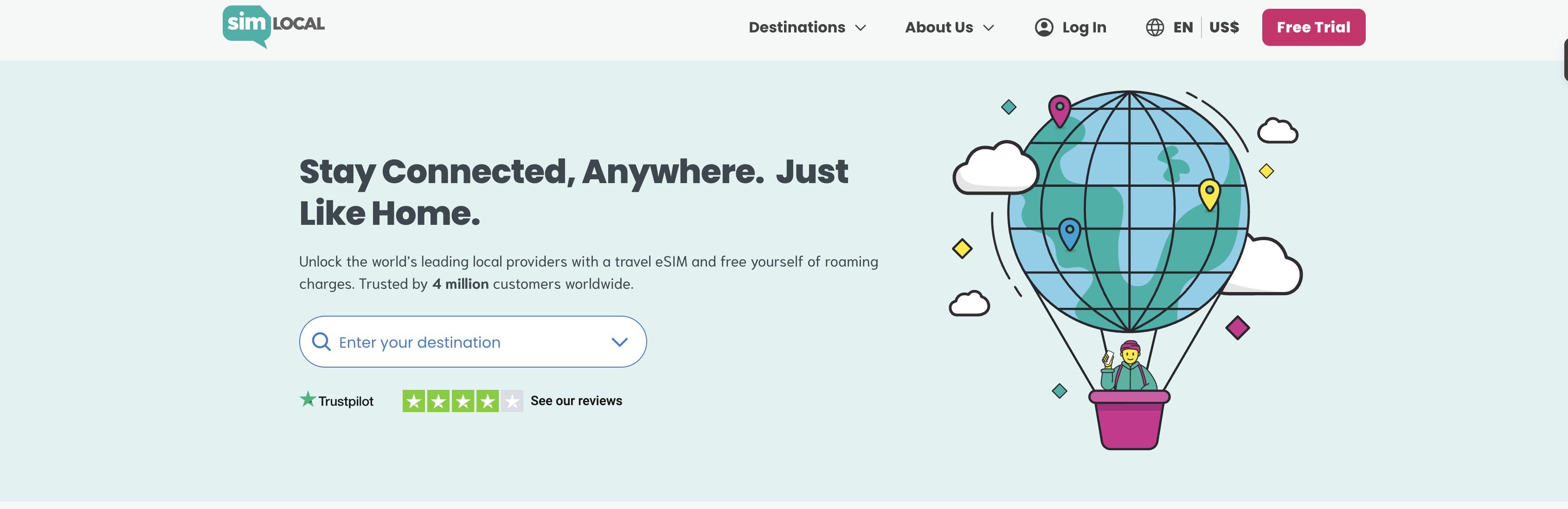
Just one tap and the phone did the rest. Within two minutes, I was connected to full 5G with zero stress.
Ordering an Uber and letting my family know we landed safely was never so easy. 🤗
I tested Sim Local’s 5 GB Belgium plan during a recent road trip that took me from the busy streets of Brussels to quiet corners of the Belgian Ardennes.
This is our review of the Sim Local eSIM, tried and tested in Belgium!
Sim Local overview at a glance
| What they offer | Instant eSIMs for over 220 destinations, plus physical SIMs at airport kiosks |
| How it works | Buy online or in the app, install in minutes, no SIM tray swap needed |
| Network quality | Connects to top-tier local networks like Orange, EE, and Vodafone |
| Plan types | Choose from data-only or data + calls/SMS; local, regional and global options |
| Price range | Starting from $3.75 USD (€3.50), with flexible data options |
| Best for | Travelers who want fast, reliable mobile data without roaming fees |
| Refund policy | A full refund is available if the product is not activated due to a technical issue, even after 14 days. No questions asked |
| Customer support | Available 24/7 via email, phone, and WhatsApp. You get help from real people, not bots |
| Discount | 5% off with code BETWEENOCEANS at checkout |
Setting up my Sim Local eSIM in Belgium
Getting started with Sim Local is quite simple, even if you’re new to eSIMs.
You can purchase and install your eSIM in MINUTES. You really don’t need to be a tech wizard to install it.
Here’s a step-by-step look at how it works:
- Check Phone Compatibility: First, ensure your smartphone supports eSIM (all newer iPhones, Google Pixels, and Samsung Galaxies do). If you’re unsure, you can quickly check your phone settings or use Sim Local’s compatibility list.
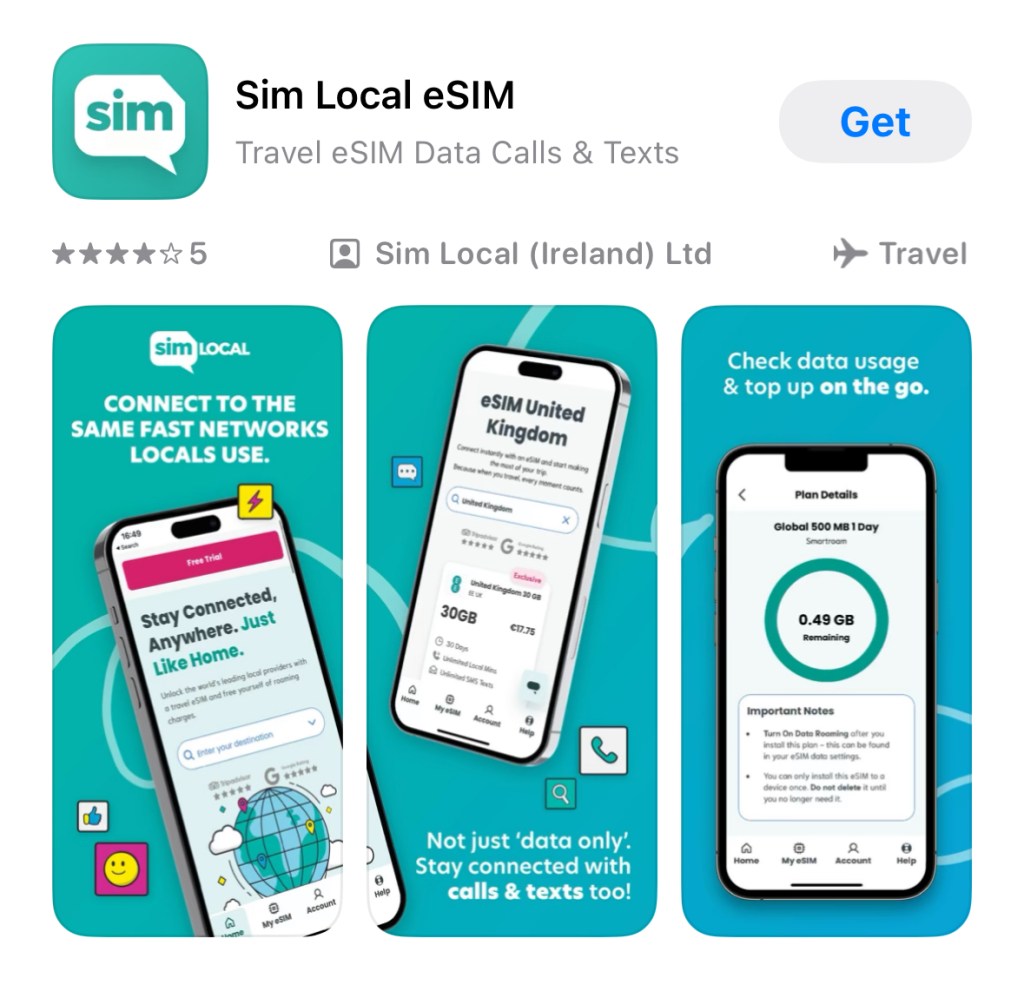
- Buy Your Plan Online: Head to the Sim Local website or download the Sim Local app before you arrive in the country where you want to use the eSIM. Select your destination country (or region) from the list, and you’ll see a range of plan options for that location. Sim Local’s interface is very user-friendly; you can even filter for “DATA ONLY” vs “CALLS & DATA” plans. If it feels too overwhelming, you can use their “Find My Plan” tool to get a personal recommendation.

- DISCOUNT CODE: Before paying, don’t forget to enter any promo code you have. Lost Between Oceans readers get 5% off with the code BETWEENOCEANS at checkout.
- Receive Your eSIM Instructions: After purchase, Sim Local will immediately email you a confirmation and an activation link (or QR code). In many cases, you’ll receive TWO EMAILS: first, an order confirmation with a button to activate your plan email with the installation QR code and setup instructions. If you used the app, you have the option for a one-click install there instead.
- Activate the Plan: Click the activation link in the email (or in the app). Sim Local separates activation from installation for extra assurance, so you manually confirm when to activate. You know the eSIM won’t start until you’re ready. Activation usually takes just a minute or two online. Once activated, you can move on to installing the eSIM on your device.
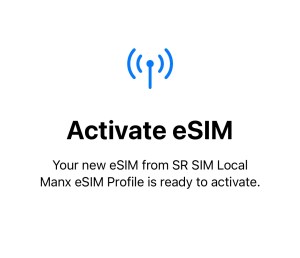
- Install the eSIM: There are two easy ways to install: Either way, make sure you have an INTERNET CONNECTION (Wi-Fi) while installing, since your phone needs data to download the eSIM profile. Also, if you opt for manual installation (entering an activation code and details), follow the emailed instructions carefully; it’s a bit more effort, but Sim Local provides clear step-by-step guidance.
-
- Scan the QR code: On your phone, go to the cellular/mobile settings and find “Add Cellular Plan” or “Add eSIM”. Scan the QR code from the email. The phone will download the eSIM profile and ask you to add it. This process literally takes seconds once you scan the code.
-
- One-click via app: If you have the Sim Local app and you’re logged in, simply find your purchased plan under “My eSIMs” and tap Install Plan. The app will handle the download and installation automatically. This is incredibly convenient on iPhones, no manual typing or scanning needed!
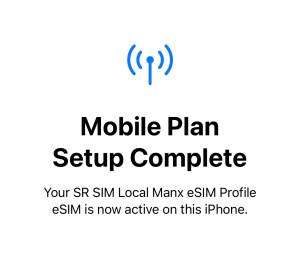
- Enable and Use It: After installation, your new eSIM will appear in your phone’s SIM manager settings. Rename it (e.g., “Belgium eSIM”). Now toggle it on and ensure DATA ROAMING FOR THE SIM IS ENABLED. IMPORTANT STEP! If you’re still at home, you can keep the eSIM off until departure. I installed the eSIM before my flight, but only switched it on once I landed in Belgium. Your eSIM plan activates on first use in the destination, so don’t worry, the clock won’t start until you connect in the country!
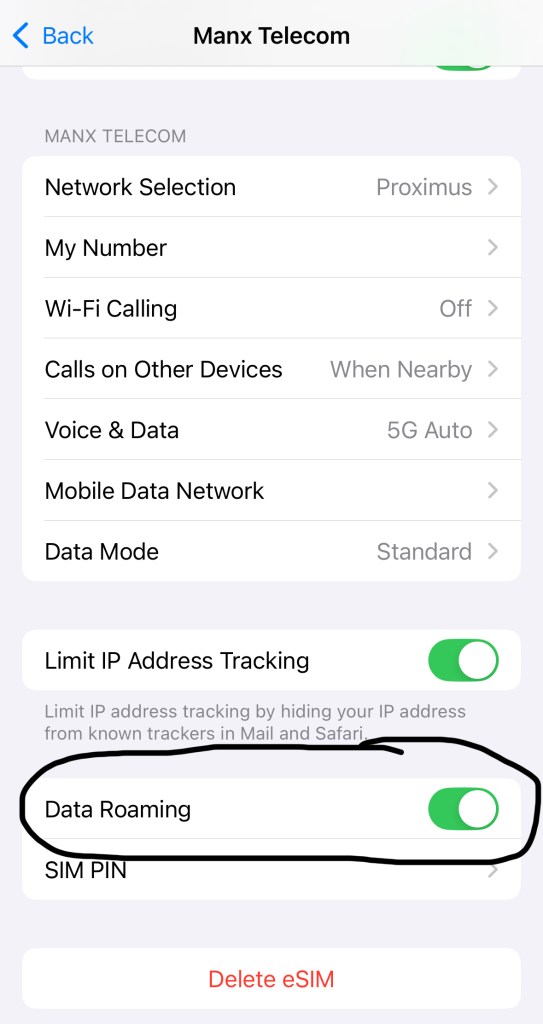
And there you go, your Sim Local eSIM is ACTIVATED, and you can now enjoy roaming wherever you are!
👉 INSIDER TIP: Before your flight, turn off your primary SIM card’s cellular data (or put it in airplane mode) and rely on the eSIM once you land. This prevents any accidental roaming charges on your regular SIM.
Use our link and enter code BETWEENOCEANS at checkout for 5% off your eSIM plan!
👉 Click here to get started (before it’s too late)
What is Sim Local?
Sim Local is a travel-friendly company founded in 2011 that helps you stay connected abroad without the usual hassle of buying local SIM cards or paying for expensive roaming.
They sell eSIMs (digital SIM cards) that you can install on your phone, giving you mobile data access in over 220 (!) destinations.
What makes Sim Local stand out for me is that they partner with the BIGGEST local mobile networks (like Orange in Belgium), so you’re not stuck with a slow, generic 3G roaming service.
They have RETAIL SHOPS in London Heathrow, Brussels, Vienna, and Athens International airports.
Plus, they have airport kiosks in over 100 locations worldwide, where they sell prepaid SIM cards!
Sim Local has seen impressive growth. They’ve served over 4 million customers and earned glowing reviews, 94% of them five stars on Trustpilot, and a 4.8 score on TripAdvisor.
What’s cool is how they’ve combined the best of both worlds: traditional SIM cards available at airport shops and instant eSIMs you can download through their app.
It’s a smooth transition from old-school travel tech to the convenience we expect today.
Coverage, speeds & convenience of Sim Local eSIM
Of course, an easy setup doesn’t mean much if the service is slow.
So I was interested to see how my Sim Local eSIM actually performed on the streets of Belgium.
I’m happy to report it was rock solid.
Since Sim Local connected me to Orange and Proximus (major networks in Belgium), I enjoyed the same reliable coverage locals do.
In downtown Brussels, I consistently had 4G LTE (and even 5G in some areas), so everything just worked.

The network didn’t let me down. Even in the Belgian Ardennes, I could refresh my email and check WhatsApp without issue.
One thing I appreciated was that I could still receive texts and calls on my regular number (which I left in my phone as a secondary SIM) while using Sim Local for data.

That meant two SIMs active at once: my physical SIM for any important SMS from home (on roaming but with data roaming off), and the Sim Local eSIM for all my local data needs.
👉 INSIDER TIP: Use your phone’s hotspot feature to share your Sim Local data with your laptop to check your emails or watch a movie.
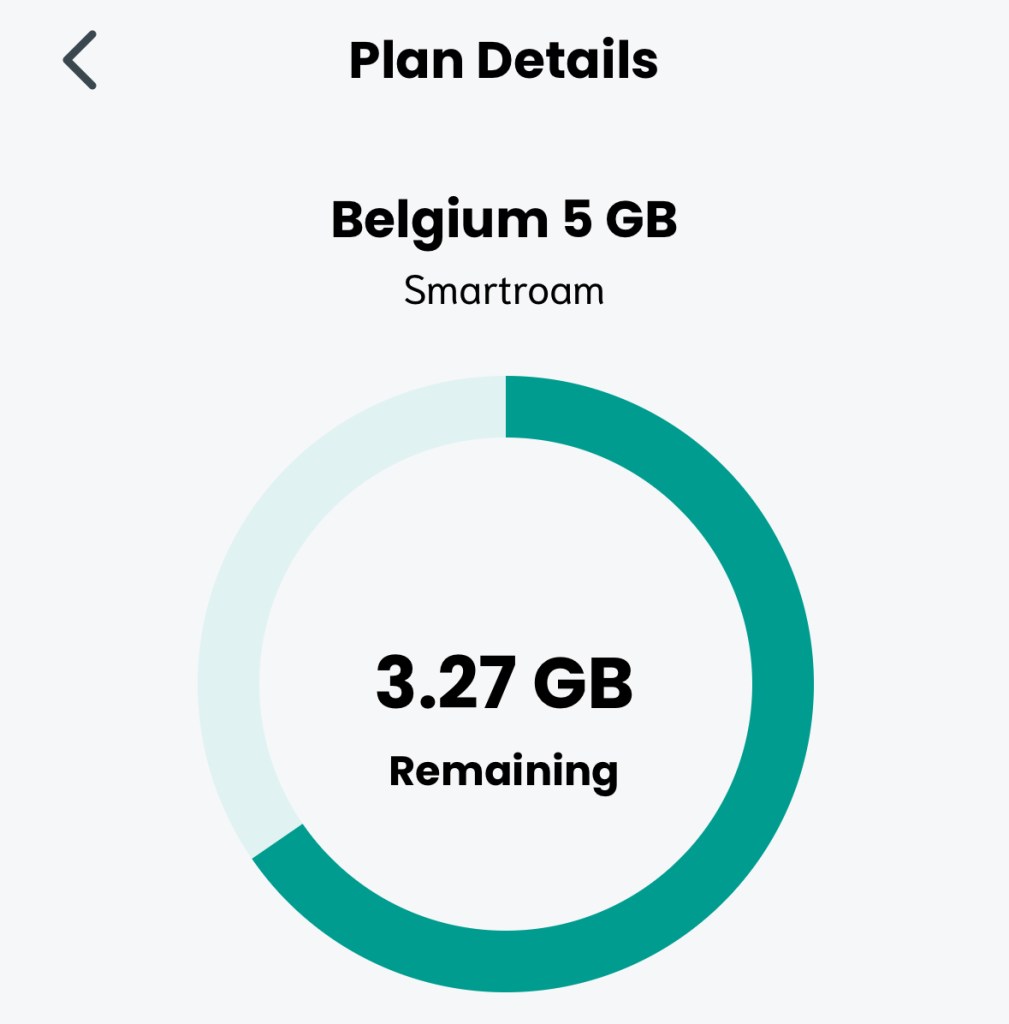
Over the course of a week in Belgium, I never ran out of data or lost signal at a critical moment.
Use our link and enter code BETWEENOCEANS at checkout for 5% off your eSIM plan!
👉 Click here to get started (before it’s too late)
Sim Local plans & pricing
Let’s talk money and plan options, because every Sim Local review should cover whether it’s actually a good deal.
In my case, I chose a Belgian 5 GB plan that was valid for 30 days, which cost me $10.75 USD (about €10).
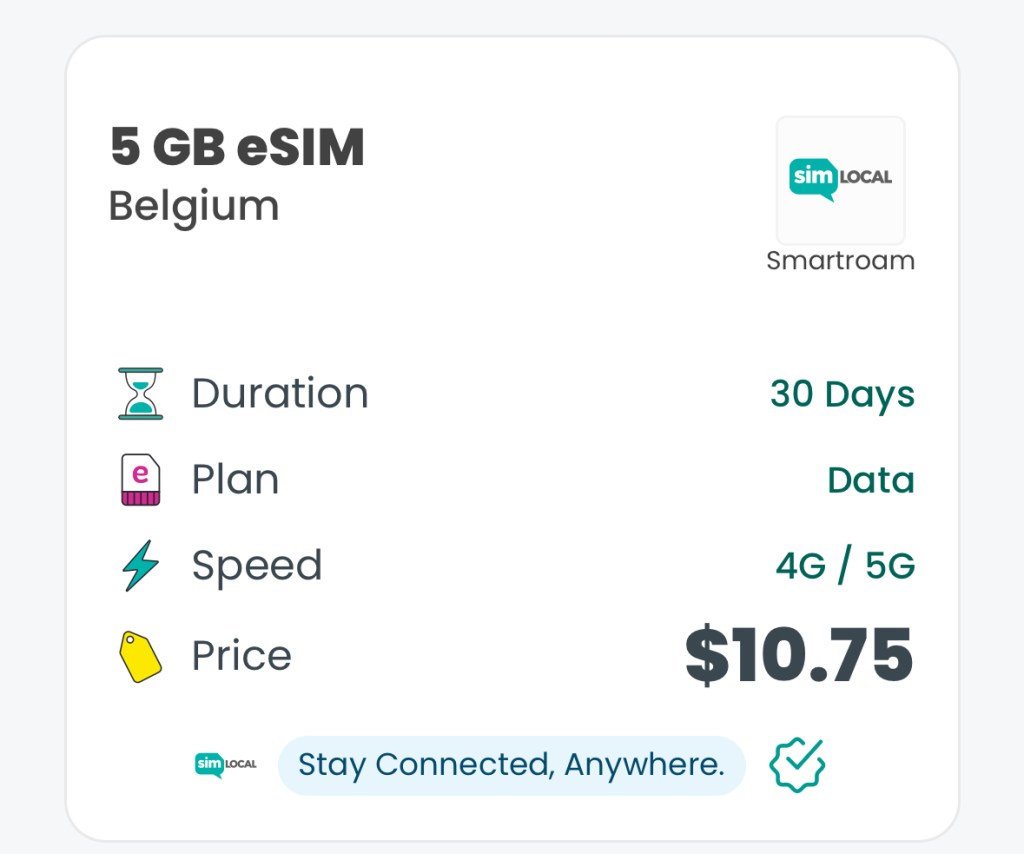
Even if I’d gone for a 10 GB eSIM plan, it would have been around $17 (€16), which is still cheaper than buying a tourist SIM on the spot.
I also liked that the currency was selectable on the Sim Local website, too. I paid in USD for clarity, but you could view prices in EUR, GBP, etc.
There were no surprise fees and no roaming charges either.
The plan I bought was a local Belgian plan, meaning it was intended for use in Belgium (which was fine, as I wasn’t leaving the country on this trip).
If your travels will take you across borders, Sim Local has multi-country and regional eSIMs as well.
👉 INSIDER TIP: Don’t overbuy data. I found that 5 GB was more than enough for a week of maps, social media, and emails (with hotel Wi-Fi at night). If you’re an average user, you likely don’t need the priciest, largest plan. Start with a moderate package. You can always top up. Sim Local’s app lets you monitor your data in real time!
Use our link and enter code BETWEENOCEANS at checkout for 5% off your eSIM plan!
👉 Click here to get started (before it’s too late)
Pros and cons of Sim Local eSIM
No travel service is perfect, so here’s a quick rundown of what I loved about Sim Local, and a few things that could be better:
What I loved
- Super easy setup: I activated the eSIM while still on the plane at Brussels Airport. One tap in the app and I was connected to 5G within minutes.
- Strong, reliable coverage: It connected me to Orange and Proximus, two of the biggest networks in Belgium. I had stable service everywhere, from downtown Brussels to small villages in the Ardennes.
- No roaming stress: I could still receive texts on my regular number while using Sim Local for data. Both SIMs worked together seamlessly.
- Great value: My 5 GB Belgium plan costs just $10.75 (€10). Even 10GB would have been $17. Much cheaper than tourist SIMs at the airport.
- Hotspot-friendly: I used my phone as a Wi-Fi hotspot to connect my laptop and my partner’s phone, which worked without any issues.
- Full control via app: The Sim Local app is smooth, lets you track data usage, and makes topping up easy if you need more.
- Fair refund policy: If your eSIM can’t be activated due to a technical issue, Sim Local will refund you, even after 14 days. No questions asked.
What could be better

- Too many plan options: Honestly, the choices were a bit overwhelming. There are lots of variations (data only, calls included, different providers). Tip: Use the “Find My Plan” tool on Sim Local’s site so you don’t have to compare manually!
- Data roaming toggle isn’t automatic: Like with any eSIM, you have to manually turn on roaming in your phone’s SIM settings. I missed this step at first, so the connection didn’t work until I fixed it.
Honestly, these “cons” are relatively minor in my experience, more like cautionary notes than serious complaints.
Final thoughts: Would I use Sim Local again?
Absolutely. After trying Sim Local during a real trip in Belgium, I can confidently say it’s one of the easiest and most reliable ways I’ve stayed connected abroad.
The setup was stress-free, coverage was excellent (thanks to top-tier local networks like Orange), and the price was better than anything I’ve seen at airport kiosks or from roaming plans back home.
For couples like us who travel often and want things to just work, Sim Local takes a big headache off your plate.
No more scrambling for Wi-Fi, no more overpriced tourist SIMs, no more fiddling with tiny SIM trays on airport floors.
Will I use it again? Without question. And if you’re planning a trip and want the same peace of mind, I genuinely recommend giving it a go.
Use our link and enter code BETWEENOCEANS at checkout for 5% off your eSIM plan!
👉 Click here to get started (before it’s too late)